You can purchase credits through your app or on our website, where you will always get the best deals. You need credits to make international calls and send SMS to mobile and landline numbers. Additionally, you can purchase and renew virtual numbers from your credits in the web version of the call.com app. We offer in-app payments with Google Play or Apple Pay (depending on your device) for the mobile app, and direct card payments for the web app.
Instructions for mobile apps
You need to purchase credit to call and send messages to landline and mobile numbers.
Note: We offer Google Play and Apple Pay payments for in-app purchases.
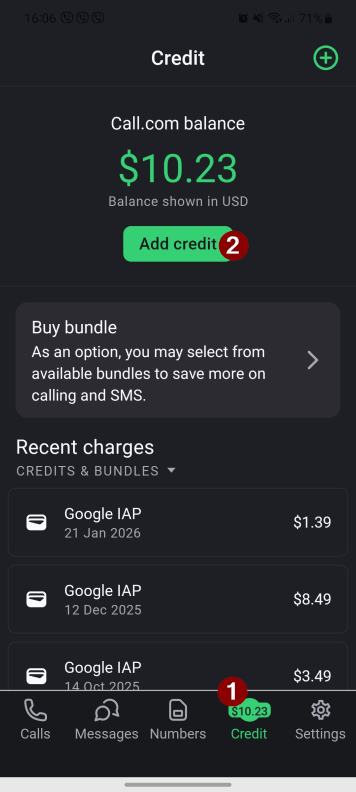
1. Tap the “Credit” button on the bottom home screen and then the “Add credit” button.
2. Select the credit amount according to your preference.
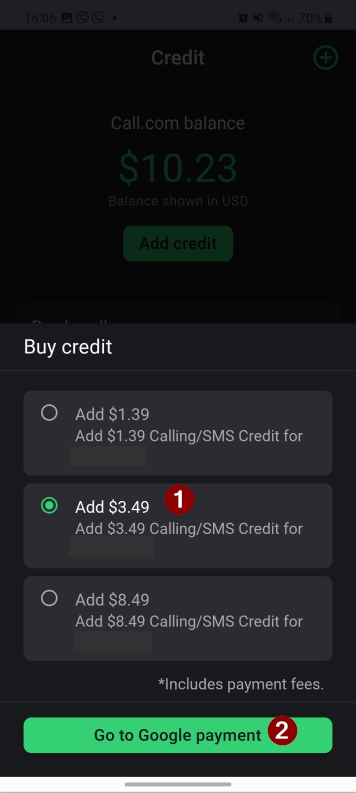
3. Tap the “Go to Google Payment” or “Go to Apple Payment” button, depending on your device.
4. The credit amount will be deducted from your payment method linked to your Google Play/ Apple account and added to your Call.com balance.
Instructions for the web app
Note: we offer card payments for purchases made in the web app.
1.Open your call.com web app
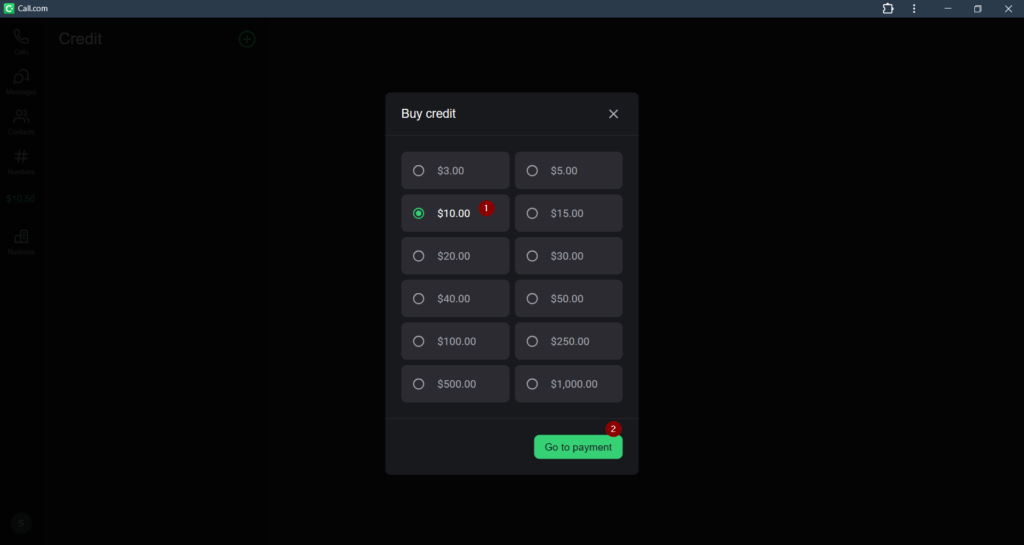
2.Click the “$X.XX” credits button on the left home screen Then click the “Add credit” button
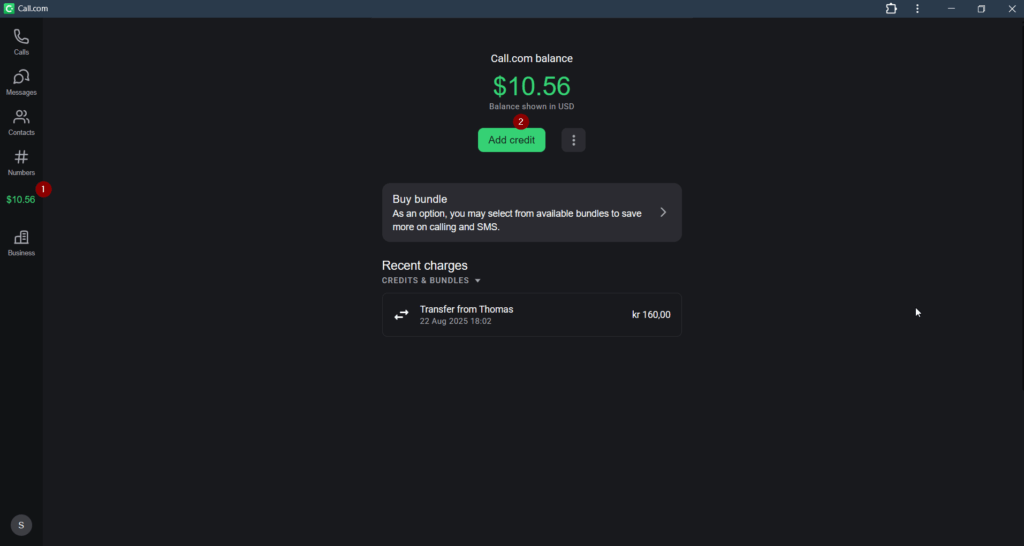
3.Select the number of credits and click the “Go to payment” when you are ready
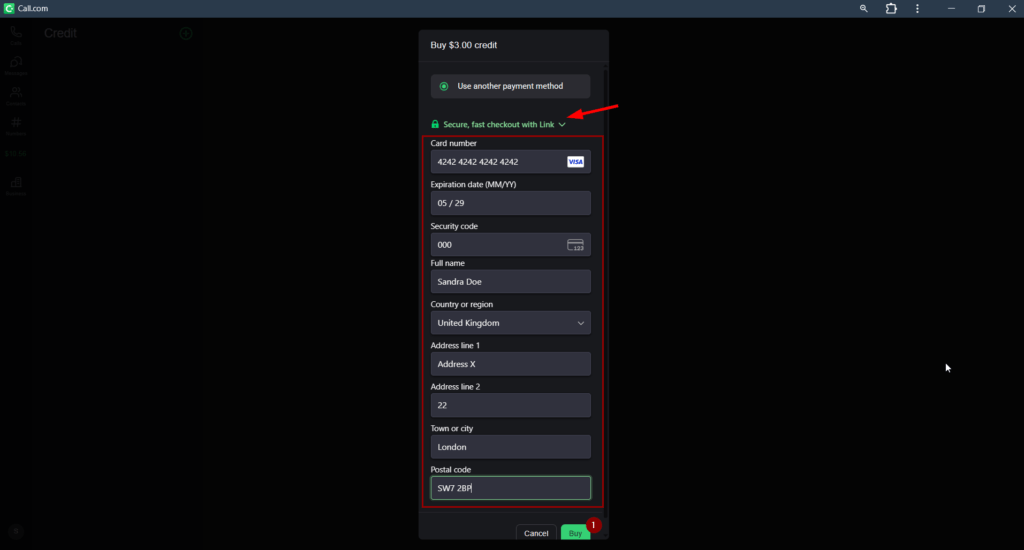
4.You will need to enter your accurate billing information. You can also select to add your card to Link (wallet by Stripe)for your easier use. Click the “Buy” button when you are ready.